

Screenshots
MOD features
- Works without root, Lucky Patcher, or modded Google Play Store;
- Unnecessary permissions, receivers, providers, and background services disabled or removed;
- Optimized and zipaligned graphical assets for quicker loading;
- All debug code and logging removed;
- Languages: Full multi-language support;
Description
Unified Remote is an advanced PC remote control app designed to turn your Android device into a universal controller. It comes packed with dedicated remotes for over 90 popular desktop programs, making computer management effortless.
Unified Remote Full MOD APK delivers a completely unlocked edition that functions seamlessly without needing root access or external patchers. The package has been optimized from the inside out, stripping redundant background services and refining visual assets for top-tier performance.
What’s Modified in Unified Remote Full
- License verification is completely bypassed without requiring root permissions, Lucky Patcher, or a modded Google Play Store.
- Unnecessary permissions, receivers, providers, and background services have been removed to reduce system resource consumption and conserve battery life.
- Graphical assets have been cleaned and zipaligned to ensure rapid UI loading and buttery-smooth operation.
- Redundant debug code and trace logs have been removed to minimize the overall APK file size and enhance execution speed.
- Full multi-language localization is included, allowing users around the world to navigate the interface in their native language.
This build is version 3.24.0, weighs just 8M, and carries the package name com.Relmtech.RemotePaid. It has a custom signature and cannot be installed directly over an existing Play Store version.
About Unified Remote Full
Unified Remote Full bridges the gap between your mobile device and PC, giving you seamless command over your desktop setup from anywhere in the room. It is the perfect companion for anyone using their computer as an entertainment center or media hub to stream movies, play music, or watch videos. Instead of constantly walking over to your keyboard and mouse, your smartphone or tablet transforms into an intuitive wireless controller. Beyond basic input controls, the app offers robust file management tools, allowing you to browse, move, copy, rename, and delete files across your PC storage effortlessly. With its clean layout and versatile toolset, managing your multimedia and navigating files becomes a smooth, productive experience right from your palm.
Connecting your mobile device to your computer is simple and reliable. The developer provides a companion server utility that installs smoothly across major operating systems, including Windows, Mac, and Linux. Once the server software is running, the Android app automatically detects available hosts on your local network, removing the hassle of complex manual configuration. This automated pairing system saves time and lowers the technical barrier, ensuring that even users without technical experience can complete the setup in just a few straightforward steps and enjoy convenient PC remote management from one spot.
To ensure complete privacy and protect against unauthorized access, Unified Remote incorporates robust security options, including password protection and data encryption. Because remote desktop access requires careful safeguarding, you can lock down your server with a private password, ensuring only authorized users can browse files or trigger commands. Furthermore, end-to-end data encryption shields all communication across your local network from potential intrusions and data leaks, keeping your system secure and your personal files confidential.
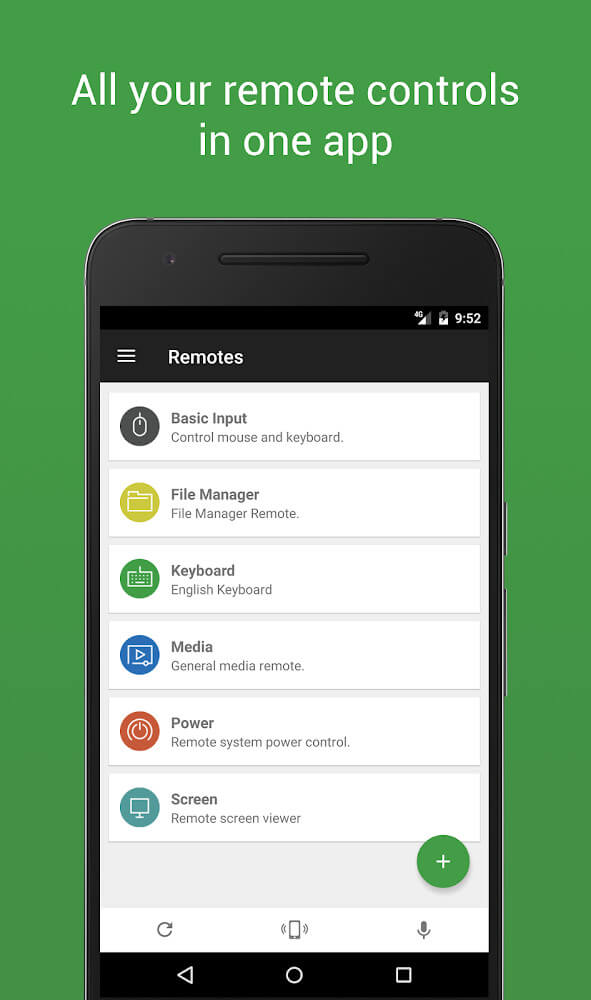
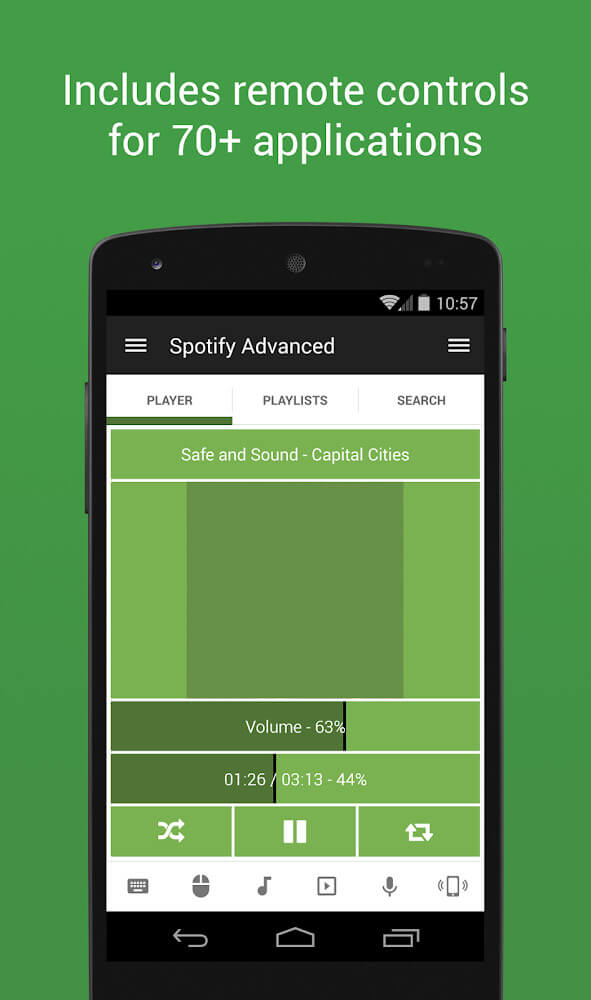
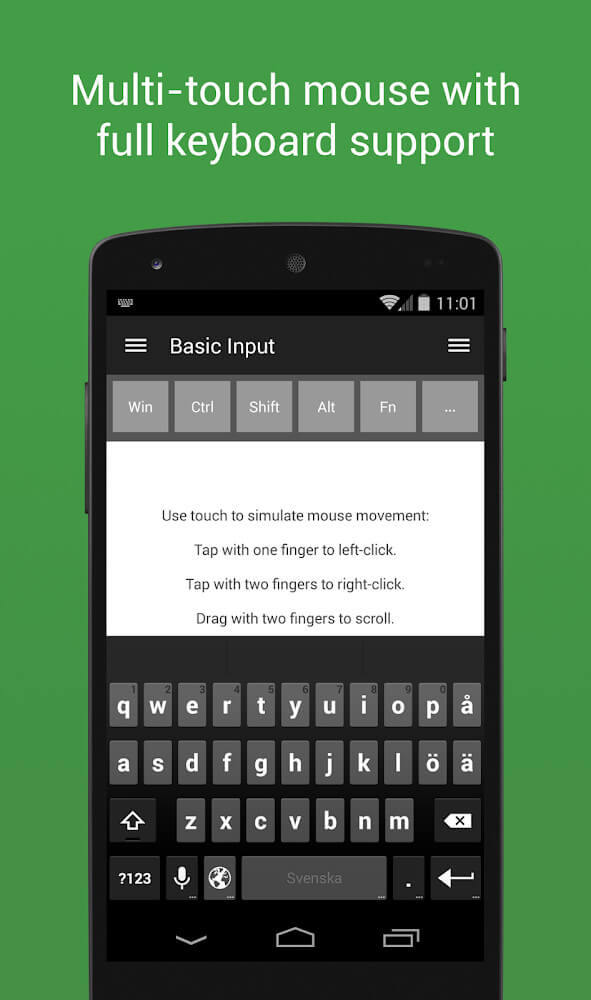
Boasting a clean, streamlined design, the interface makes managing your computer effortless, even for first-time users. Its intuitive graphical layout delivers quick, direct access to all essential tools and system controls without any confusing clutter. The app features support for more than 90 dedicated remotes tailored for specific host programs across multiple categories. You can smoothly simulate mouse and keyboard inputs, control slide presentations, or take command of various multimedia players. Seamless integration with Spotify, iTunes, and Google Music lets you browse and manage audio playback on the fly, while built-in controls for YouTube, Netflix, BSPlayer, and Windows Media Player make streaming and movie watching a breeze. From entertainment and media recording to everyday office productivity and desktop navigation, it caters perfectly to any user's needs.
New connectivity features include robust support for Bluetooth accessories, with an auto-connect option that reliably pairs your Android device to the server in seconds. All you have to do is verify your local network connection to ensure stable, secure communication. The app also features an adjustable vibration mode, allowing you to fine-tune haptic feedback to match your personal tactile preferences. By combining modern tech like fast Bluetooth pairing and customizable haptics, it satisfies even the most demanding remote control requirements. Setup is lightning-fast, security is rock-solid, and navigating the interface is second nature. It serves as an indispensable tool for managing web browsing and desktop apps on Windows, Mac, or Linux systems, delivering a seamless, hassle-free remote management experience.
Key Features
- Full remote control support across Windows, Mac, and Linux platforms.
- Automatic server detection for instant local network pairing.
- Robust encryption and password protection to safeguard server access.
- Over 90 specialized remotes designed for various desktop software.
- Accurate mouse cursor navigation and keyboard typing simulation.
- Dedicated media controllers for Spotify, iTunes, and Google Music.
- Convenient video playback controls for BSPlayer and Windows Media Player.
- Smooth streaming navigation for YouTube and Netflix.
- Quick Bluetooth pairing for flexible wireless connectivity.
- Customizable haptic feedback and vibration settings.
Related MOD APKs
- MovieBox ID: Watch Movies, TV Series, K-Dramas & Anime for Free
- KWGT Kustom Widget Pro
- SnapTube
- Terabox
FAQ
What does Unified Remote Full MOD APK unlock?
This 3.24.0 release of Unified Remote Full comes pre-modified as PAID and Patched. It delivers the complete functionality of the original Unified Intents release, with all premium features unlocked and activated immediately after installation on ApkUnlimit.
What is the latest version of Unified Remote Full MOD APK?
The latest available version is build 3.24.0, corresponding to the official Unified Intents update from August 15, 2024. At ApkUnlimit, we keep only the freshest working version available. You can update simply by installing this file over your existing app; if you run into a signature conflict, uninstall the previous version before reinstalling.
Is Unified Remote Full MOD APK safe to download?
Yes, this Unified Remote Full 3.24.0 build is based on the genuine Unified Intents app featuring verified PAID and Patched modifications. It holds a solid 4.1 rating from 51 users and does not require root access. Google Play Protect may display a routine warning common with modified APKs, so be sure to download directly from ApkUnlimit.
Can I use Unified Remote Full MOD APK on PC or iPhone?
This installation package is designed specifically for Android and cannot run directly on an iPhone or iOS system. If you want to run this compact 8M file on a computer, simply install an Android emulator such as BlueStacks or LDPlayer and load the APK into it.
How to install
- Download the APK file above to your phone.
- Allow “Install unknown apps” when prompted.
- Open the downloaded APK and tap Install.
- If the package includes OBB/XAPK data, follow the bundled instructions.
MOD APKs are modified builds, so Play Protect may show a warning. Install only if you trust the file; use at your own risk.