

Screenshots


MOD features
- Premium
Description
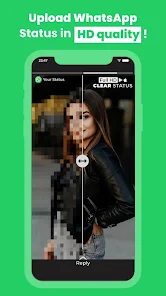
Clear Status is a tool designed to help users enhance images and videos before sharing them on WhatsApp Status, preventing content from becoming blurry or losing quality during uploads. The app offers a straightforward workflow: choose an image or video, optimize it with one tap, then open WhatsApp to post your refined content.
Enhance WhatsApp Status Quality with Clear Status
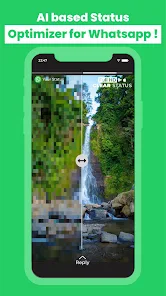
Uploading images or videos to WhatsApp Status can compress the content, leading to loss of sharpness compared to the original. Clear Status was developed to pre-process media before posting, allowing users to prepare higher-quality versions for the platform. The app supports both images and videos, prioritizing speed over complex editing tools.
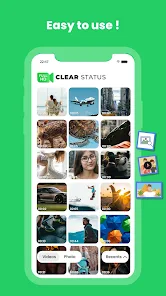
The interface is simple and intuitive. Users can select an image or video, tap the WhatsApp-optimized option, and wait for processing. After completion, the app opens WhatsApp to continue sharing your content. Google Play guidelines also suggest using the forward option instead of regular sharing for better quality.
Optimize Media Before Sharing
A key feature of Clear Status is its ability to process both images and videos. This is perfect for users who frequently update their Status with personal photos, travel memories, short clips, or work-related content. Instead of manually adjusting sizes or media settings, let the app handle the WhatsApp-specific optimization process.
In addition to optimization, the Google Play update introduces content creation tools like muting video audio, adding custom music, stickers, location markers, and text overlays on images and videos. These features allow Clear Status to not only resolve blurriness but also enable customization of your WhatsApp Status before posting.
Quick Processing & Premium Features
The app's interface is streamlined for simplicity, featuring a content selection, optimization, and WhatsApp transition workflow. This makes it ideal for users who want to minimize manual editing before each Status update.
Clear Status Premium offers an ad-free experience and unlocks premium features such as unlimited optimization, faster processing, and access to future updates.
How to Use Clear Status
To use Clear Status, prepare your image or video for WhatsApp. Open the app, select your media from your device, apply WhatsApp-specific optimization tools, then switch to WhatsApp to post the processed file.
For a personalized experience, use features like adding music, stickers, location, or text before posting. The mute function also helps create more optimized versions of videos with unnecessary audio for sharing.
Conclusion
Clear Status is a powerful MOD APK designed to enhance image and video quality for WhatsApp Status posts. Its one-tap optimization feature streamlines the process, supporting both media types while offering tools like background music, stickers, location tags, and text overlays. Perfect for users struggling with blurry uploads, this app simplifies content creation before posting directly from your gallery.
How to install
- Download the APK file above to your phone.
- Allow “Install unknown apps” when prompted.
- Open the downloaded APK and tap Install.
- If the package includes OBB/XAPK data, follow the bundled instructions.
MOD APKs are modified builds, so Play Protect may show a warning. Install only if you trust the file; use at your own risk.