

Screenshots
MOD features
- Optimized graphics and cleaned resources for fast load (6.9 MB total APK size);
- Support for armeabi-v7a and arm64-v8a only;
- Disabled and removed unwanted permissions, receivers, and services;
- Analytics disabled;
Description
If you love mobile gaming but find touch controls or keyboard and mouse setups awkward and uninspiring, Panda Gamepad Pro (BETA) is the perfect upgrade. This versatile keymapper bridges your physical controller and Android device seamlessly, delivering fluid movement, pinpoint responsiveness, and a true console-style gaming experience.
Enhanced Control and Performance via Gamepad
Even as a beta release, this tool has built a huge following among mobile gamers worldwide. What makes it so popular? Anyone who tries Panda Gamepad quickly discovers that their mobile gameplay reaches an entirely new level, freeing them from clumsy touchscreen inputs and complex PC setups.
Furthermore, the app is compatible with virtually every major gamepad brand on the market. With your controller in hand, you can master high-stakes action across hit titles like PUBG Mobile, Fortnite, Rules of Survival, and many more. Engineered as an intelligent bridge dedicated to gamepad play, it focuses entirely on your controller while bypassing standard keyboard and mouse controls.
Effective Gamepad Support
That is not all—if your controller ever disconnects or behaves irregularly while playing, simply turn to the built-in Gamepad Calibration Assist. This smart utility lets you calibrate analog sticks, tweak button responsiveness, and fine-tune overall performance, giving you complete command with rapid, precise input handling.
Activate via PC to Get Started
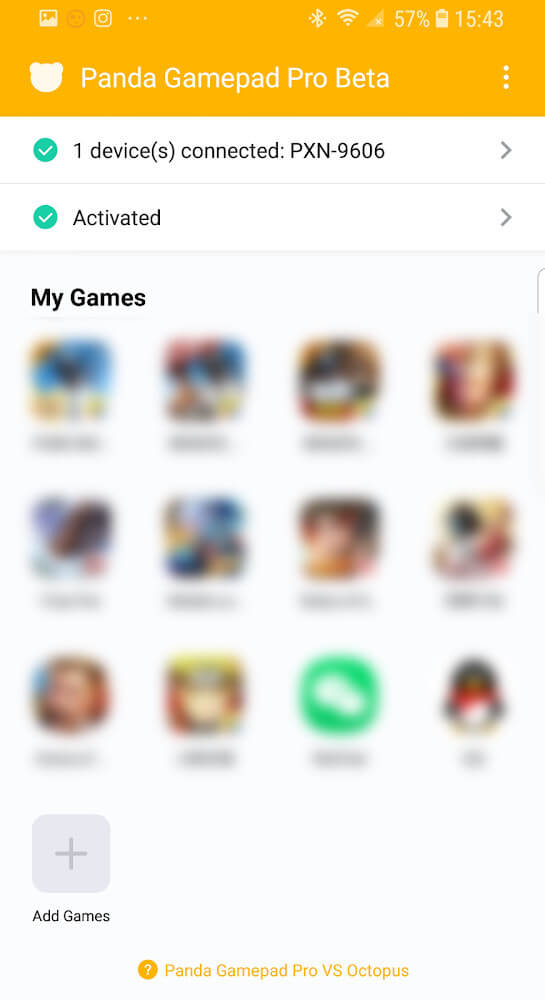
To begin using Panda Gamepad, you will need either root access or a simple one-time activation through your PC. To activate, just connect your Android device to your computer via USB. Once enabled, plug in or connect your gamepad, and the app will guide you through calibration and setup step by step.
Customizing Your Keymap
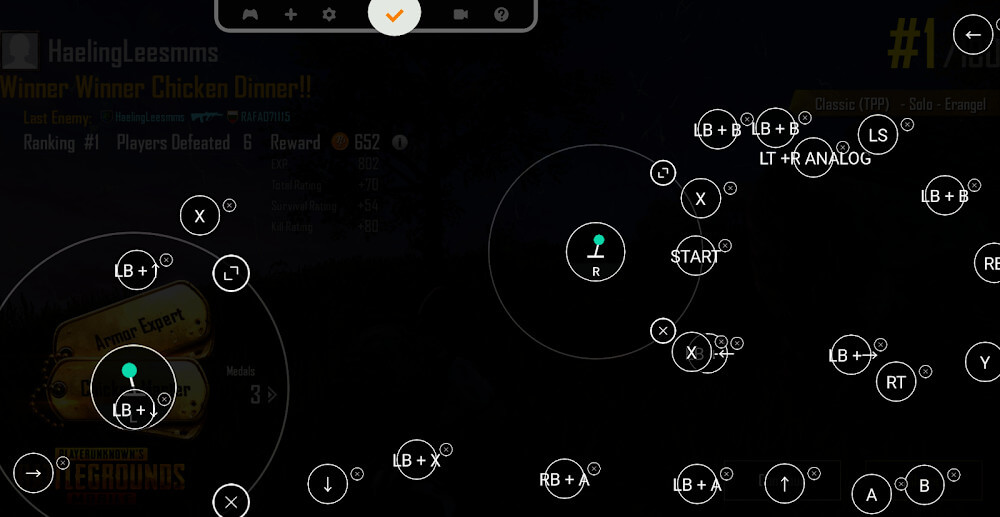
After pairing your gamepad with your phone, the application provides an intuitive, classic keymapping interface with clear visual icons for every button and function. All you need to do is drag these button overlays onto the corresponding touch controls on your screen. Once mapped, jump straight into your game—and adjust the layout whenever you like until it feels just right.
Simple, User-Friendly Interface
A standout advantage of the application is its clean, uncluttered layout. Gamers can effortlessly explore features and configure their setups on their own without needing lengthy tutorials. This streamlined design makes getting started quick and natural while eliminating unnecessary hassles during gameplay.
App Cloning Feature
Panda Gamepad also includes a built-in app cloning feature that lets your games run smoothly within an optimized mapping environment. If you prefer to launch your games directly without cloning, you can easily disable this function at any time according to your preference.
On top of these core features, the app regularly receives useful upgrades. You can sign in to back up and sync your custom keymaps with your Google account, or launch titles directly without duplication. Unlike many competing keymappers, it even works with games that normally restrict cloned apps, alongside a wealth of other practical tools you will discover as you play.
Panda Gamepad Pro delivers an exciting new gameplay experience for mobile gamers everywhere. Forget about restrictive touchscreens or rigid controls—pair this smart keymapping tool with your favorite gamepad and enjoy total control right at your fingertips.
How to install
- Download the APK file above to your phone.
- Allow “Install unknown apps” when prompted.
- Open the downloaded APK and tap Install.
- If the package includes OBB/XAPK data, follow the bundled instructions.
MOD APKs are modified builds, so Play Protect may show a warning. Install only if you trust the file; use at your own risk.