

Screenshots
Description
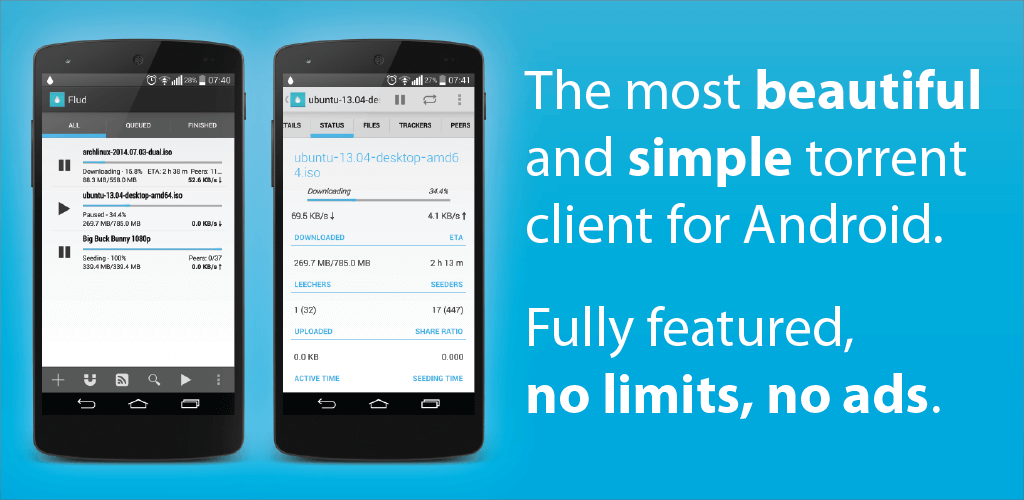
This release delivers the premium, ad-free edition of the popular torrent downloader based on the official paid build. With this Flud MOD APK, you can download and organize all your torrent transfers completely free of commercial interruptions.
What’s Modified in Flud
- Unlocks the full paid version to eliminate all advertisements and banners from the interface.
This build is version 2.0.15 with an 8M download size under package ID com.delphicoder.flud.paid. Because it has been modified and re-signed, it cannot be installed as an in-place update over the official store version.
About Flud
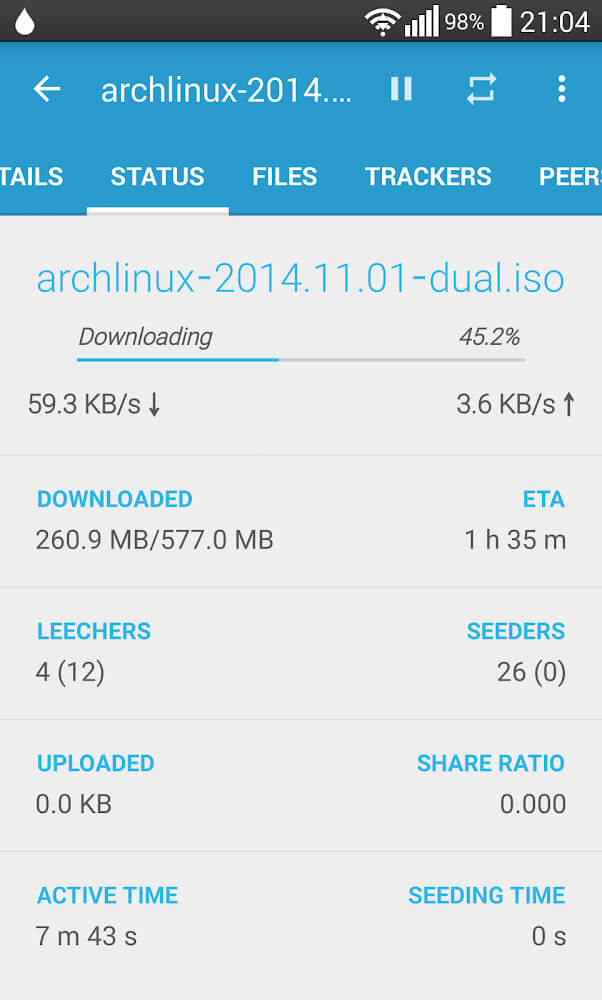
Flud is a dedicated Android client engineered specifically for rapid file transfers over the BitTorrent protocol. It enables users to transfer an unlimited amount of data straight to mobile devices without relying on central servers that throttle bandwidth or cap file sizes. Rather than curating media content directly, Flud utilizes peer-to-peer distribution to bypass artificial speed and size restrictions, making it an outstanding choice for fetching massive media files like movies and TV shows that would overwhelm regular mobile web browsers. The app takes full advantage of local networking and system hardware while maintaining a lightweight footprint, ensuring high-speed downloads without exhausting system resources.
Flud is built with strong emphasis on privacy and security. The client incorporates multiple layers of network protection to prevent data leaks and keep user activity secure. It features stream encryption to obfuscate traffic, alongside integrated IP filtering and proxy configuration tools. These controls give you full oversight over inbound and outbound connections while downloading torrents, letting you inspect and block unwanted IP addresses. Furthermore, traffic filtering and end-to-end stream encryption protect file transfers against tampering and man-in-the-middle (MITM) attacks, ensuring your data arrives intact and confidential.
The application provides broad compatibility with modern network standards, including NAT-PMP (Network Address Translation Port Mapping Protocol), DHT (Distributed Hash Table), UPnP (Universal Plug and Play), MTP (Media Transfer Protocol), and PEX (Peer Exchange). These protocols help the client overcome local network limitations and maintain steady connections to peer swarms. In particular, DHT and PEX let Flud discover active peers without depending on a central tracker, boosting transfer reliability. Additionally, UPnP and NAT-PMP automate router and firewall traversal, ensuring smooth connectivity across complex network setups without requiring tedious manual port configuration.
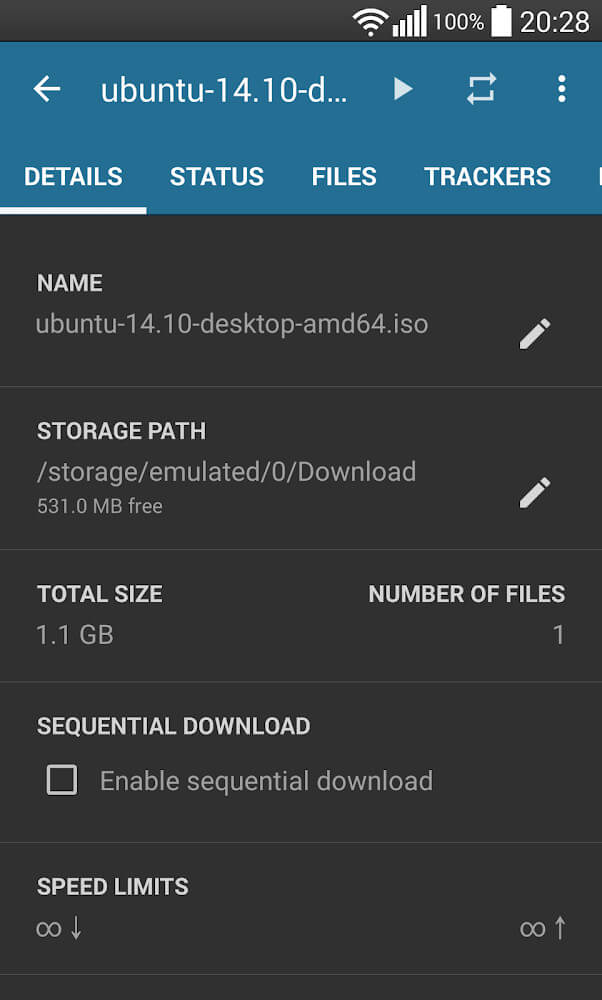
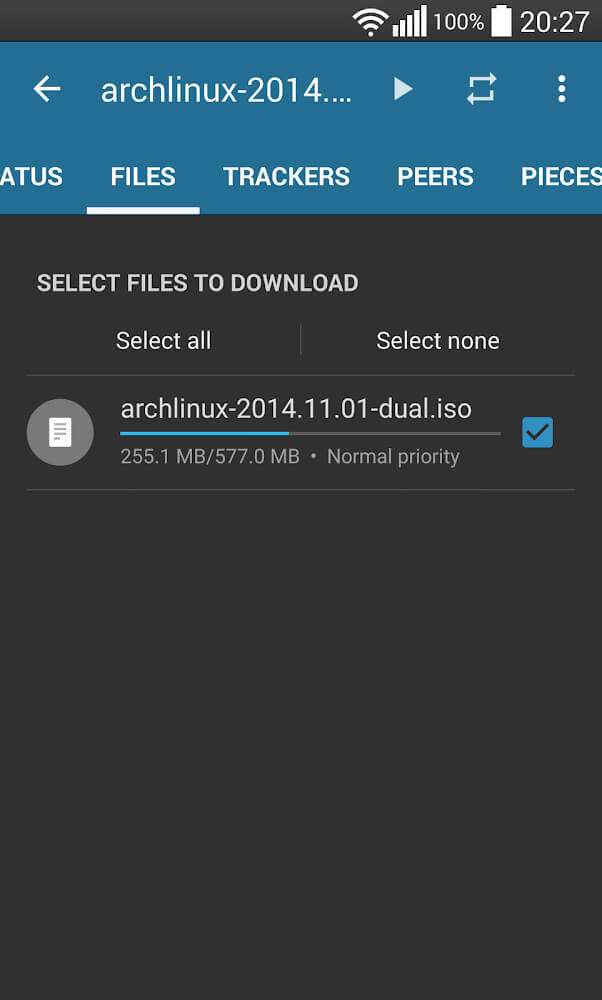
Users enjoy comprehensive management over how data is retrieved and stored. You can selectively download individual files from a torrent rather than fetching the whole bundle. Other handy options include assigning folder priorities, fine-tuning download order, and sequential downloading (fetching the first and last pieces first) so you can preview video or audio files before they finish downloading. Flud effortlessly handles multi-file transfers and even allows moving files between directories during an active download to keep your storage organized. Note that while Flud easily handles huge files, storage cards formatted with the FAT32 file system still have an inherent 4GB maximum file size limit.
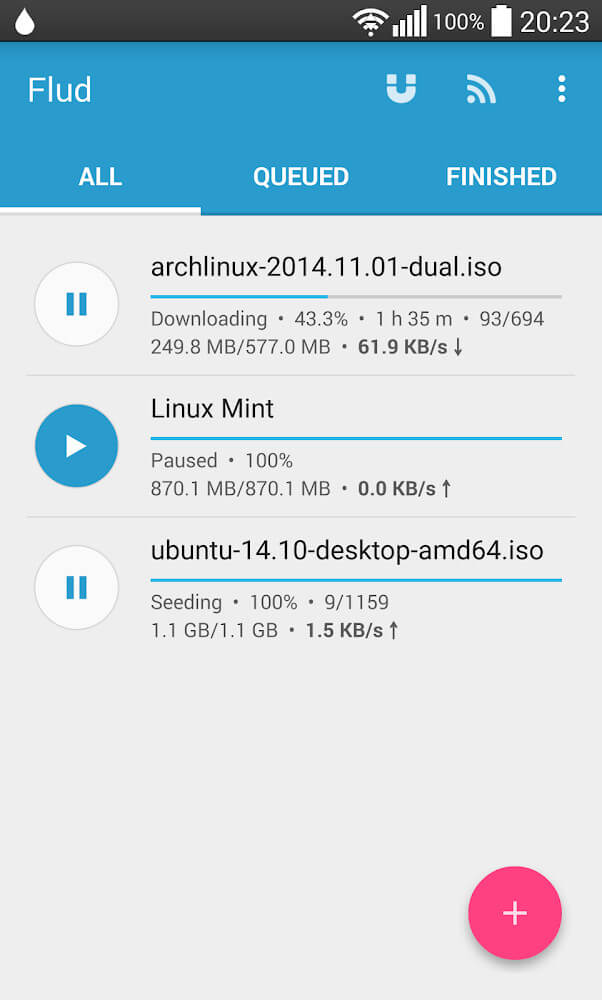
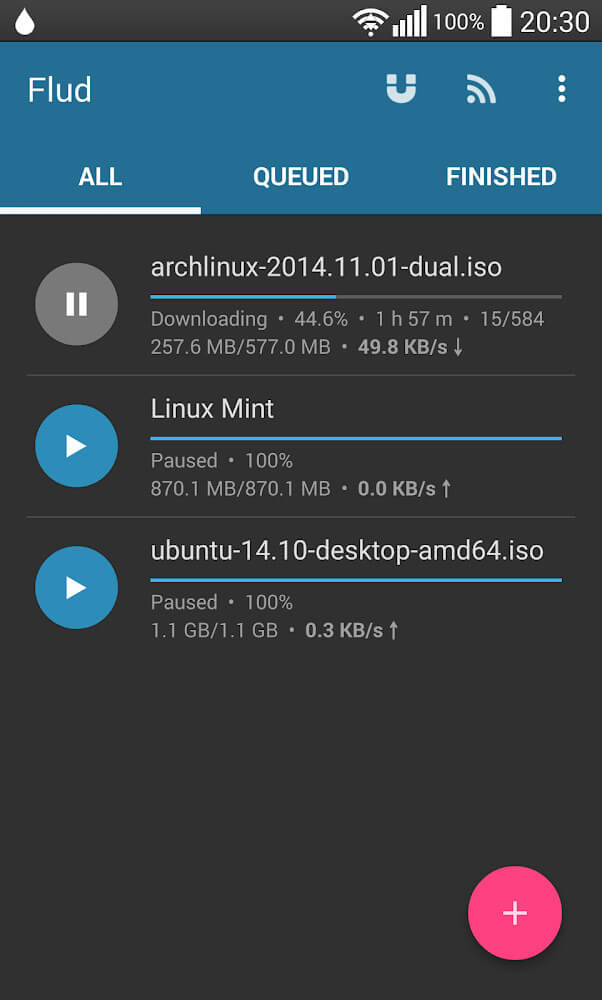
Crafted with clean aesthetics and intuitive navigation, the interface lets you get started without any learning curve. You can effortlessly switch between light and dark themes—dark mode being ideal for night-time browsing to minimize glare and relieve eye strain. Beyond its sleek look, the layout puts every essential control right at your fingertips to maximize productivity. The application also bundles practical utilities like RSS feed integration and magnet link handling. With RSS support, you can schedule and automate your favorite downloads seamlessly, or grab files instantly via magnet links without downloading separate torrent files. Since magnet links require no server-side torrent data, they are lightweight, easily shareable across messaging apps or Gmail, and help save precious local storage. Combining straightforward controls with smart automation, it delivers a smooth and efficient torrent management experience on ApkUnlimit.
Key Features
- NAT-PMP Support
- DHT Support
- UPnP Support
- MTP Support
- PEX Support
- User Data Encryption
- IP Filtering
- Proxy Support
- Sequential Download Option
- Custom Priority Folders
- Magnet Link Support
- RSS Feed Integration
- Light & Dark Theme Customization
- Download First & Last File Segments First
Related MOD APKs
- CapCut – Video Editor
- CapCut MOD
- YouTube Vanced
- FilmoraGo
Frequently Asked Questions
Does Flud MOD APK remove ads?
Yes! This modified Flud 2.0.15 release is completely Paid and Ad-free. It retains all the core functionality of the official Delphi Softwares build, with every premium perk unlocked right after installation on ApkUnlimit.
What is the latest version of Flud MOD APK?
The current release is version 2.0.15, corresponding to Delphi Softwares' update on August 15, 2026. At ApkUnlimit, we always provide the freshest build. To update, simply install this APK over your existing version; if a signature mismatch occurs, please remove the older app before reinstalling.
Is Flud MOD APK safe to download?
Absolutely. This Flud 2.0.15 package is based directly on the original Delphi Softwares application, unlocked with full Paid and No Ads features. It holds a 3.2-star rating from 26 reviewers and runs without root access. You may safely bypass standard Play Protect alerts during installation, ensuring you grab your copy directly from ApkUnlimit.
Can I run Flud MOD APK on PC or iOS devices?
This Android package cannot be installed on iOS devices like iPhones. However, you can easily run this 8M file on your PC or Mac using an Android emulator such as BlueStacks or LDPlayer. Just launch your preferred emulator and drag the APK file into the window to install.
How to install
- Download the APK file above to your phone.
- Allow “Install unknown apps” when prompted.
- Open the downloaded APK and tap Install.
- If the package includes OBB/XAPK data, follow the bundled instructions.
MOD APKs are modified builds, so Play Protect may show a warning. Install only if you trust the file; use at your own risk.