

Screenshots
MOD features
- Premium.
Description
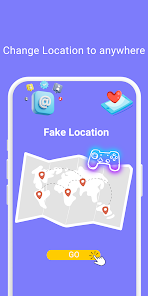
LocaEdit is a GPS spoofing tool tailored for Android devices, enabling users to manipulate location data shared with other apps. Instead of relying on real-time GPS, users can choose any map location and make their device appear to be in that spot. The app includes features like Teleport, Joystick, route simulation, and multi-point tracking for precise control.
Change GPS location with LocaEdit
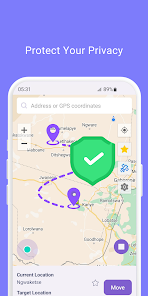
LocaEdit excels at creating fake GPS coordinates without physically moving the device. Users can select a map location, activate spoofing, and have dependent apps receive the fabricated location data. This is ideal for testing location-based services or analyzing how different regions affect app behavior.
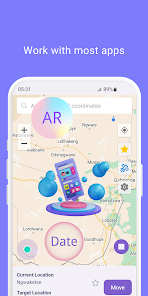
The app provides multiple simulation methods beyond static coordinates. Users can instantly teleport to a new location or plan a route with scheduled movement. LocaEdit has also been recognized by Google Play for its compatibility with location-aware social media, navigation apps, and augmented reality games.
Teleport and Joystick for position control
The Teleport mode in LocaEdit allows quick location changes with a single action. It's perfect for rapidly checking specific locations without simulating travel. After selecting a map point, the spoofed location is applied through Android's system mechanisms.
In contrast, Joystick Mode offers real-time control via a 360-degree virtual joystick. Users can adjust simulation speed for walking, cycling, or driving and modify speed values. This mode is better for testing how apps react to gradual location changes.
Route simulation and multiple points
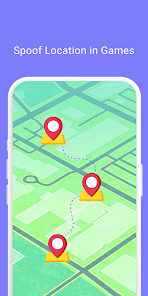
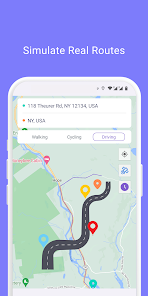
Beyond single-location spoofing, LocaEdit supports Simulated Navigation and Multi-Point Route Modes. Users can create complex routes with multiple stops and simulate movement through walking, cycling, or driving. This helps test scenarios with continuous location shifts rather than fixed coordinates.
LocaEdit includes a dedicated Game Mode for AR location-based games. However, GPS spoofing doesn't guarantee all apps will accept fake data. Some services may detect simulated locations or apply strict geolocation policies.
Tips and How-to Guide for Using LocaEdit
To begin, open LocaEdit, select your desired spoofed location on the map, then choose the appropriate mode. For quick checks, use Teleport mode. For route simulation, switch to Joystick mode or create a multi-point itinerary.
On Android, most GPS spoofing apps require configuration as a fake location provider in developer settings. After completing setup, test the changes using a map app before using the spoofed location in other applications.
Conclusion
LocaEdit is an Android GPS spoofing tool with modes for instant location changes, joystick navigation, and multi-point route simulation. Its support for navigation apps, location-based services, and AR games makes it versatile for testing and simulation purposes.
How to install
- Download the APK file above to your phone.
- Allow “Install unknown apps” when prompted.
- Open the downloaded APK and tap Install.
- If the package includes OBB/XAPK data, follow the bundled instructions.
MOD APKs are modified builds, so Play Protect may show a warning. Install only if you trust the file; use at your own risk.